KoupCoupe
Member
- Messages
- 627
- Reaction score
- 1
- Points
- 16
To make your Blog click on "Blogs" located at the top right of the Kiaforteforum.com main screen.
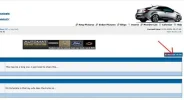
Click on the Manage Blog Button shown here:
[attachment=84]
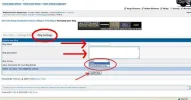
Start out by going to the "Blog Settings" tab! This is where you will start the process. Input your data title, tags (Not necessary -- I'm assuming these are words you want used if someone does a search), and then write out your story. At this point submit your Blog...no one will be able to comment yet -- you then have to go to "the "New Entry" tab. Title it and put your story there (see below). You can make your blog "public" or keep it among your buddies on Kiaforteforum.com by going to the "Blog Settings" tab and chosing the one you want (default is "Public"):
[attachment=90]
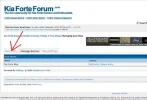
Next make sure to go to the "New Entry" tab here. After you have created your Blog you can start new subjects in this tab too -- each new entry will fall under your original Blog made in the "Blog Settings" tab:
[attachment=85]
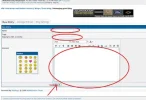
You will see this screen. Fill in the title, include tags (Not necessary -- I'm assuming these are words you want used if someone does a search), and then write out your story:
[attachment=86]
When you are done don't forget to click on the "Blog It" button in the new entry tab!
Now for some feedback on if this works for members...
Click on the Manage Blog Button shown here:
[attachment=84]
Start out by going to the "Blog Settings" tab! This is where you will start the process. Input your data title, tags (Not necessary -- I'm assuming these are words you want used if someone does a search), and then write out your story. At this point submit your Blog...no one will be able to comment yet -- you then have to go to "the "New Entry" tab. Title it and put your story there (see below). You can make your blog "public" or keep it among your buddies on Kiaforteforum.com by going to the "Blog Settings" tab and chosing the one you want (default is "Public"):
[attachment=90]
Next make sure to go to the "New Entry" tab here. After you have created your Blog you can start new subjects in this tab too -- each new entry will fall under your original Blog made in the "Blog Settings" tab:
[attachment=85]
You will see this screen. Fill in the title, include tags (Not necessary -- I'm assuming these are words you want used if someone does a search), and then write out your story:
[attachment=86]
When you are done don't forget to click on the "Blog It" button in the new entry tab!
Now for some feedback on if this works for members...